
Shopify AI in 2026: A Merchant Guide to Internal Tools and External AI Visibility
Shopify AI has two sides that most merchant guides mix up: the AI inside your admin (Magic, Sidekick, AI Toolkit) and the AI outside your store (ChatGPT, Gemini, Perplexity) deciding who to recommend. Here is how both work in 2026 and how to be ready for each.

If you run a Shopify store in 2026, "Shopify AI" is doing double duty as a phrase. Half the time it means the AI features Shopify ships inside your admin (Shopify Magic, Sidekick, the AI Toolkit). The other half, it means the AI that lives outside your store (ChatGPT, Gemini, Perplexity, Google AI) deciding which Shopify stores to recommend when a shopper asks a buying question.
Most guides on this topic pick one meaning and ignore the other. This Shopify AI guide holds both. Merchants get either a walkthrough of Magic's product-description button, or a listicle of 19 apps, or a think piece on ChatGPT shopping. None of those is the whole picture.
This piece takes both layers seriously, because the merchant workflow does. You draft copy with Magic in the morning, then wonder why ChatGPT recommends three competitors and not you in the afternoon. Same store, two different AI stories. Here is how each layer works in 2026, and what the actual job list looks like.
TL;DR: "Shopify AI" means two different things. Layer one is the AI inside your admin (Shopify Magic, Sidekick, the AI Toolkit) that speeds up your own work. Layer two is the AI outside your store (ChatGPT, Gemini, Perplexity, Google AI) deciding which stores to recommend to shoppers. Layer one will not fix layer two: you can write perfect Magic copy and still be invisible when a buyer asks ChatGPT where to buy. This guide covers both layers and the merchant job list for each.
Jump to:
- Layer one: the AI Shopify ships inside your admin
- Layer two: the AI outside your store
- How the two layers work together in practice
- The Shopify AI tools worth watching in the next six months
- What to do this quarter
Layer one: the AI Shopify ships inside your admin
Shopify's own AI stack has three named products. They serve different jobs and it helps to keep them straight.
Shopify Magic: the content generator
Magic is the AI writing assistant baked into the Shopify admin. It shows up as a small icon next to fields that need copy: product descriptions, email subject lines, blog drafts, image alt text, FAQ answers, page headings. You click, give it a short brief, get a draft, edit.
Included in every plan. No extra install. Trained specifically on ecommerce writing patterns, which is why its product-description output tends to read tighter than a plain ChatGPT prompt for the same task.
The realistic job Magic does for you:
- Writes a serviceable product description in 30 seconds. Not the best on your site, not the worst. Good enough as a starting point for 200 SKUs.
- Drafts email subject lines and preview text that follow proven ecom patterns.
- Generates FAQ answers when you paste a customer question.
- Cleans up product photos: background removal, quick edits, alt text.
What Magic will not do: understand your brand voice better than you, replace a real copywriter for hero pages, or rewrite copy to fit how AI engines pick products. It writes for humans reading your PDP, which is fine because that is still 80 percent of the job.
If you have not used it yet, Shopify's own Magic overview is the fastest onboarding.
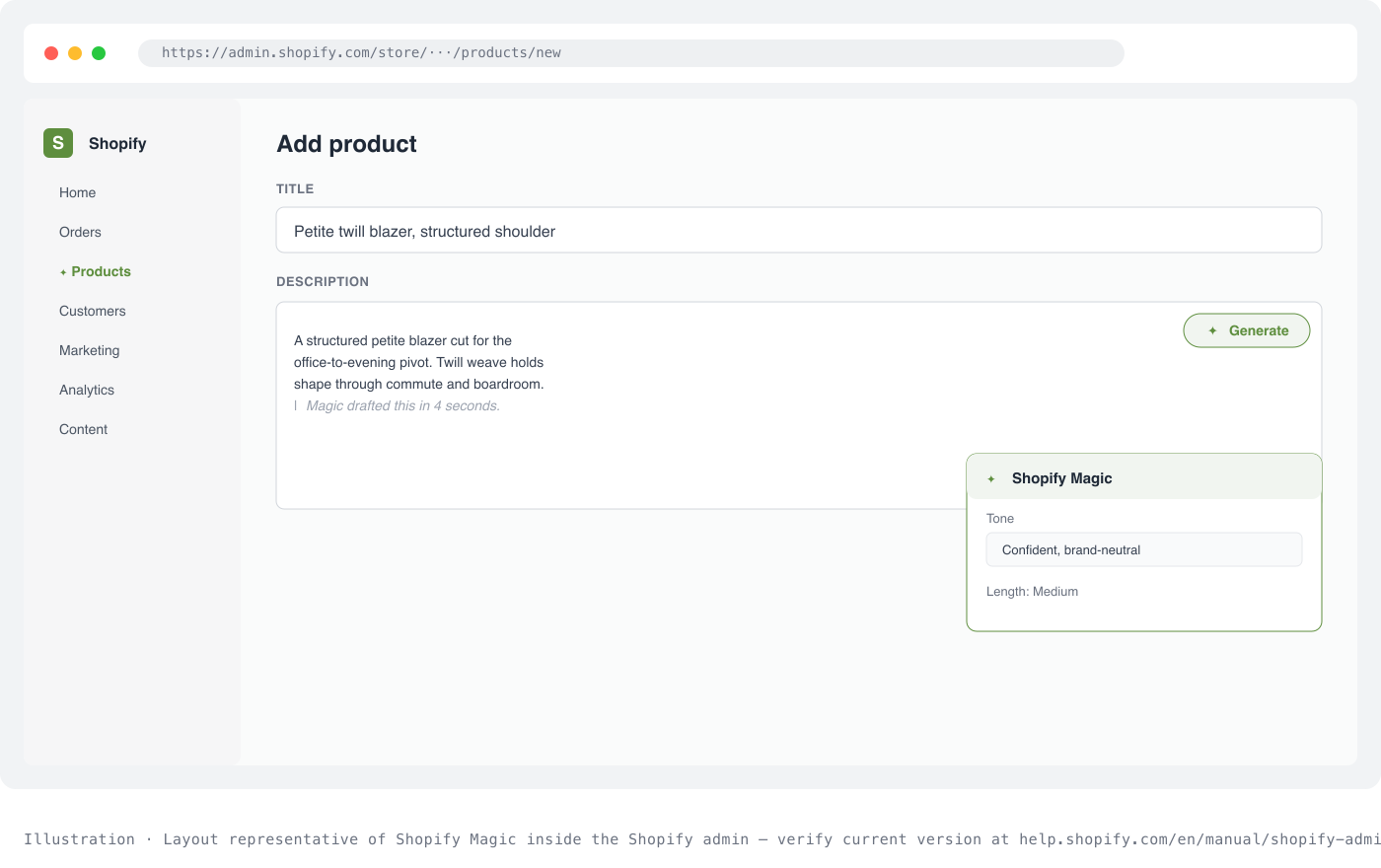
Illustration · Layout representative of Shopify Magic inside the Shopify admin, verify current version at help.shopify.com/en/manual/shopify-admin/productivity-tools/shopify-magic.
Sidekick: the commerce assistant
Sidekick is different in kind. Where Magic writes, Sidekick acts. It has direct read access to your store data and can take actions inside the admin.
You can ask Sidekick things like:
- "Which products underperformed last month by margin, not revenue?"
- "Draft a return policy for a jewelry store that ships internationally."
- "Add a homepage section that shows my top 3 best sellers by sales in the last 30 days."
- "Compare my checkout completion rate to the Shopify average for my category."
Sidekick reads the data, runs the calculation, drafts the response, and, for supported actions, applies the change with your approval. It is closer to a junior operator you can chat with than a writing tool.
Sidekick sits behind the star icon in the admin. Ask it a small operational question first before you throw a big one at it, that is how you calibrate what it does well.
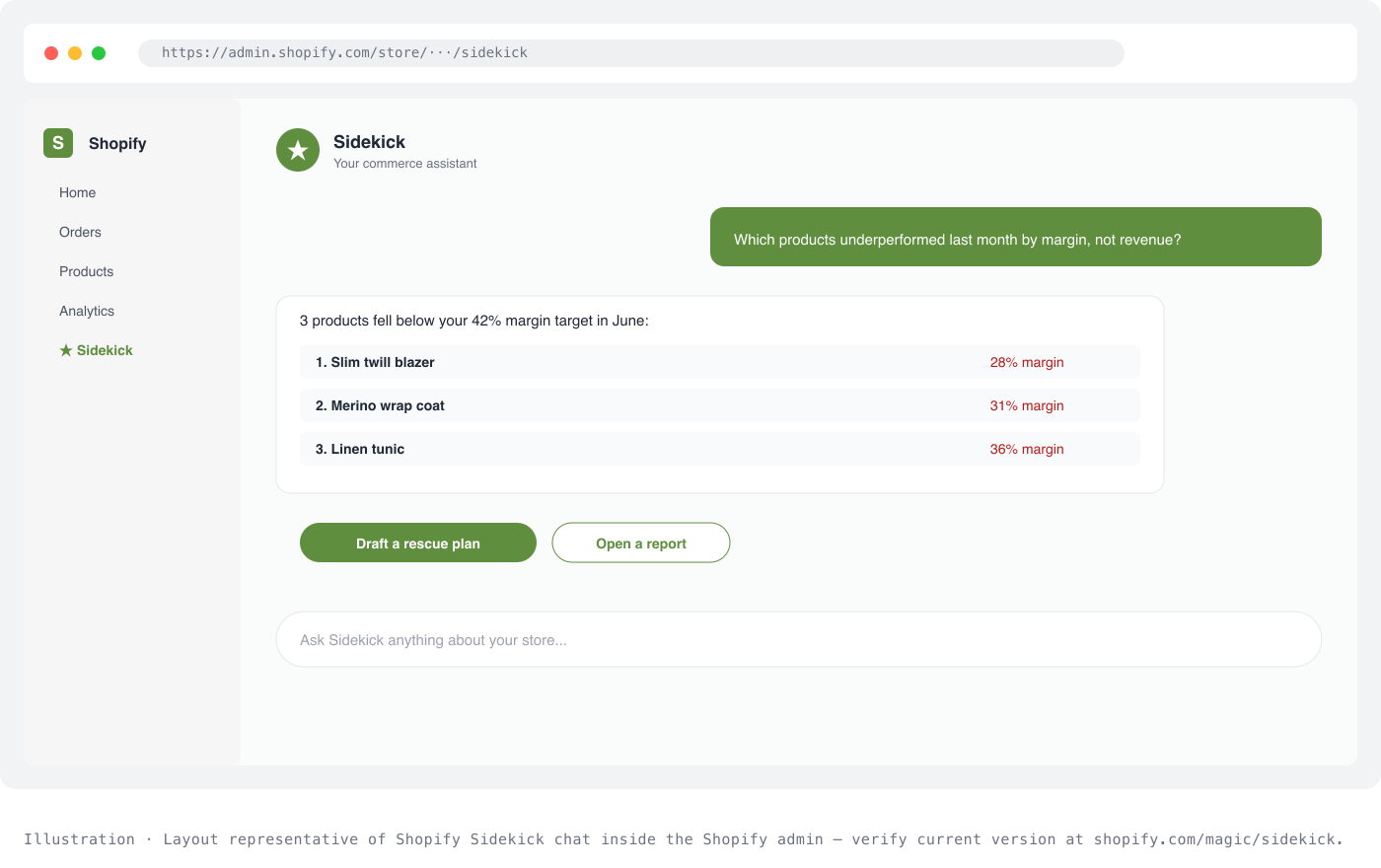
Illustration · Layout representative of Shopify Sidekick chat inside the Shopify admin, verify current version at shopify.com/magic/sidekick.
The AI Toolkit: for developers building agents
The third piece is the Shopify AI Toolkit, aimed at developers rather than merchants. It exposes Shopify's platform to AI agents via three interfaces: a plugin, an MCP (Model Context Protocol) server, and skill definitions.
The AI Toolkit is the layer that lets Claude, ChatGPT, or a custom agent read your Shopify catalog, place orders, and manage inventory programmatically. Most merchants will only encounter it indirectly, as agencies and app developers use it to build integrations. If you are a developer or work with one, the Shopify AI Toolkit docs are the entry point.
What layer one solves, and what it does not
Layer one AI is production AI. It cuts the time you spend on repetitive store operations: writing, editing, drafting policies, running reports, cleaning images. Real productivity gains, and they compound if you run a catalog with more than a hundred SKUs.
What layer one does not do is tell you whether a shopper asking ChatGPT for the best running shoes gets your store in the answer. That is a completely different question, and it needs a completely different tool. Which brings us to layer two.
Layer two: the AI outside your store
Sit with a shopper for a day and you will see the shift. The buying journeys that used to start on Google now start on ChatGPT or Gemini for a lot of categories: clothing, beauty, small appliances, gifts. The shopper types "best matcha powder for lattes" or "gift for a runner under $100", gets three names back, and clicks the one that reads best.
This is not a fringe behaviour. Adobe Analytics found AI-referred traffic to US retail sites grew 138% year over year in May 2026, and shoppers who arrived from an AI referral converted 54% better than non-AI visitors (Digital Commerce 360, June 2026).
Your Shopify store is either in those three names, or it isn't. And the two named AI tools inside your admin (Magic, Sidekick) will not tell you either way. Neither will Google Search Console. Neither will Shopify Analytics.
You need visibility into a channel that no traditional dashboard covers. Measuring it takes a dedicated AI visibility tool, not your Google or Shopify analytics. The classic SEO tactics that ranked your PDPs on Google don't map cleanly to being cited inside an AI answer. The practical break points are covered in GEO vs SEO for e-commerce.
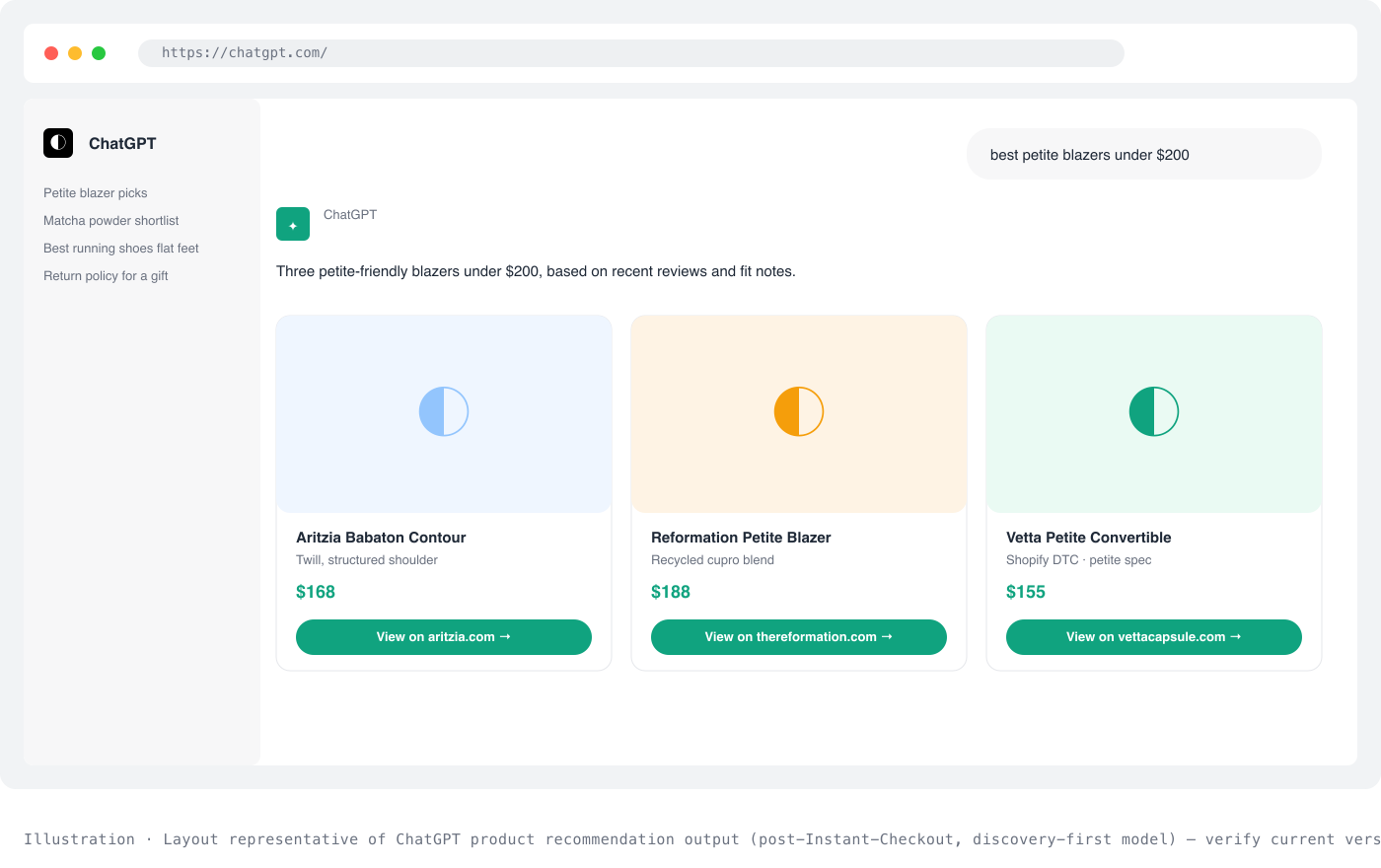
Illustration · Layout representative of ChatGPT product recommendation output (post-Instant-Checkout, discovery-first model), verify current version at chatgpt.com/merchants.
Which engines shoppers are actually using
The list of AI engines that matter for Shopify merchants in mid-2026:
- ChatGPT. The largest AI shopping surface. OpenAI's original Instant Checkout feature was discontinued in March 2026 in favour of a discovery-first approach. Shopify merchants now surface in ChatGPT through Shopify's own Agentic Storefronts pipeline (auto-enabled for eligible US stores), which sends buyers back to Shopify Checkout to complete the purchase. See our ChatGPT integration playbook for the full mechanic.
- Gemini. Deeply integrated with Google's shopping graph, strong for comparison queries and price-sensitive shoppers.
- Perplexity. Answers with sources prominently linked, popular with researchers and higher-consideration purchases.
- Google AI (AI Overviews and AI Mode). Google's answer layer sitting on top of the traditional SERP, increasingly the default shape of a search result for buying queries.
For a slower-moving picture of how AI is changing search behavior, SparkToro's research is one of the better independent sources.
The signals AI engines use to pick your store
For any of those engines to recommend your Shopify store, five signals do most of the heavy lifting. Same across engines, different weightings:
- Product schema on your product pages. Product, Offer, Review, and aggregateRating. Shopify emits basic Product schema by default, but theme-level completeness varies. Missing aggregateRating alone can drop you out of shopping-card slots.
- llms.txt at store root. A convention file that indexes your important pages for AI engines. Adds a helpful signal that you have made your store machine-readable.
- FAQ blocks in shopper phrasing. AI engines retrieve text that matches the buyer's exact question. Your support inbox is the source: pull the questions customers actually ask and put them on the product page.
- Third-party mentions on trusted sites. Reddit, Practical Ecommerce, EcomCrew, category blogs, niche subreddits. A store cited by twelve external sources gets recommended more confidently than one only citing itself. Digital PR still works, it just points at AI engines now instead of just Google.
- Reviews on Google, Trustpilot, and category platforms. Aggregate review count and freshness feed the "shoppers who bought this said" slots in AI answers.
You can dig deeper into each signal in the practicalecommerce.com AI coverage, which does good work on the merchant side of AI shifts, and Brian Dean's Backlinko blog tracks the SEO signals overlap.
The visibility gap most merchants have right now
Here is the shape of the problem for a typical Shopify store in your category:
- Layer one AI: Magic and Sidekick, active, saving 5 hours a week.
- Layer two AI: unknown. No visibility into whether ChatGPT recommends the store. No data. No dashboard. No plan.
That gap is what Mention Network was built to fill. It runs a scan across ChatGPT, Gemini, Perplexity, and Google AI for prompts a real shopper in your category would type, and shows you which prompts surfaced your store, which surfaced competitors, and what the store audit says about why.
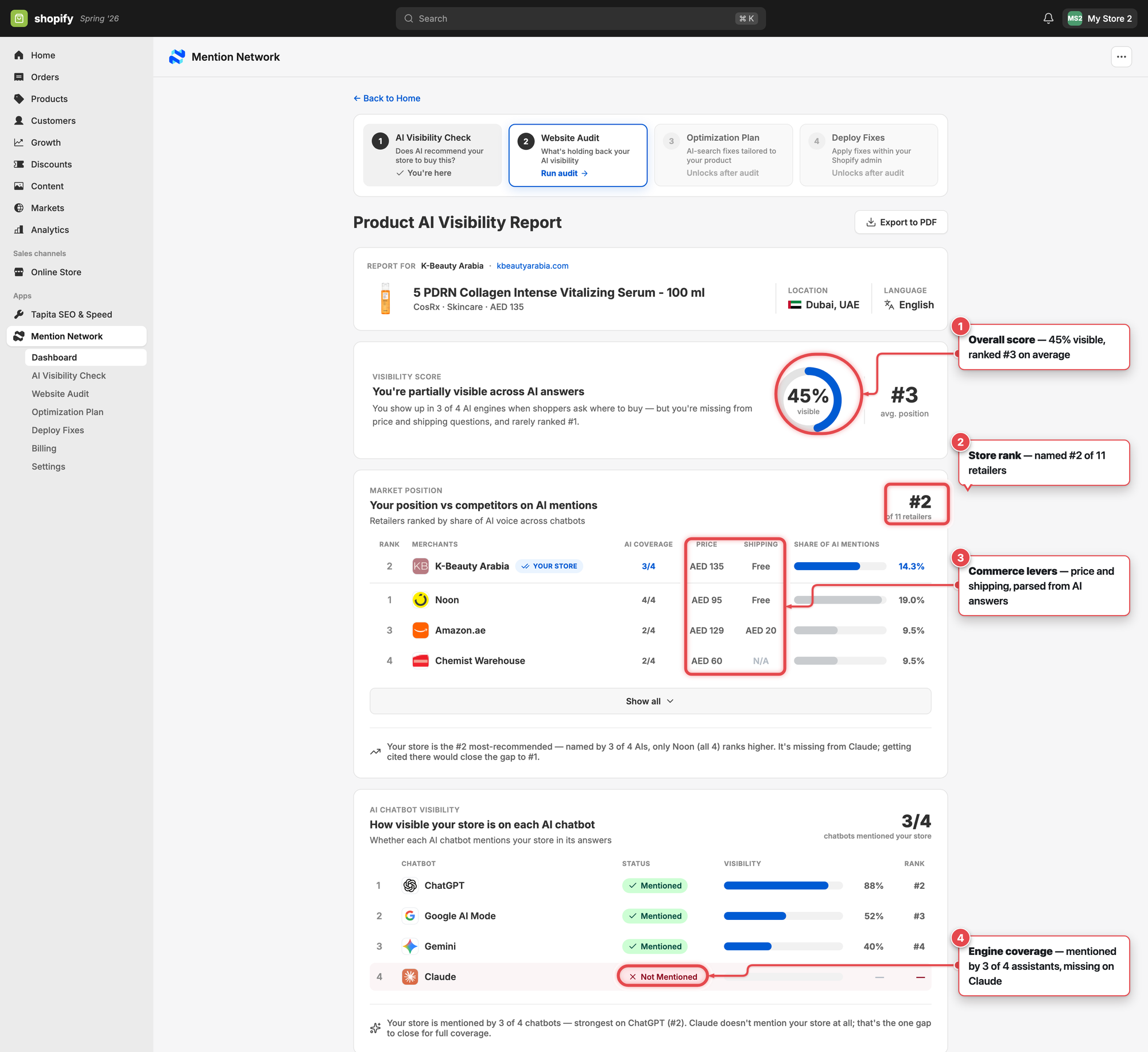
Per-engine visibility breakdown inside the Shopify admin (annotated for clarity). Brand rows show whether AI engines name your store when asked about your category. Product rows show whether specific SKUs surface in shopping answers.
How AI-visibility work fits into a merchant's week
You are not adding a full-time job here. The realistic cadence for most Shopify merchants:
- Once a quarter. Full AI-visibility scan across all four engines, for both brand and product prompts. Read the report, pick the 3 biggest gaps.
- Once a month. Fix one gap. Usually a schema issue, an FAQ block that needs rewriting, or a review platform to activate.
- Once a week. Look at which prompts started or stopped surfacing your store. Ten minutes.
That's the whole discipline. Same shape as SEO used to be, aimed at a different reader (the model), with faster feedback because you can re-scan any time.
How the two layers work together in practice
The two layers of Shopify AI are not competing for your attention. They stack.
Magic and Sidekick make you fast at running your store, so you have time to work on the parts that need judgment. That saved time is best spent on the layer-two work: figuring out why AI engines pick you or don't, and fixing what you find. The merchants who win in 2026 are running both layers together.
A concrete example. You use Magic to draft product descriptions for a new spring collection (layer one, saves an afternoon). Then you run a Mention Network scan for the prompts a shopper in your category would type and see that ChatGPT recommends three competitors, not you (layer two, reveals the gap). The scan tells you the fix: your product pages ship without aggregateRating schema, and your FAQ blocks are written in feature language instead of shopper language. You use Sidekick to draft new FAQ blocks in the phrasing your support inbox already contains (layer one again, for the fix). Two weeks later, you re-scan. Your products now surface for two of the three prompts. The third needs a different fix.
That is what a full Shopify AI workflow looks like now: production tools inside the admin, visibility tools pointed at the AI engines outside it, and a merchant looping between them.
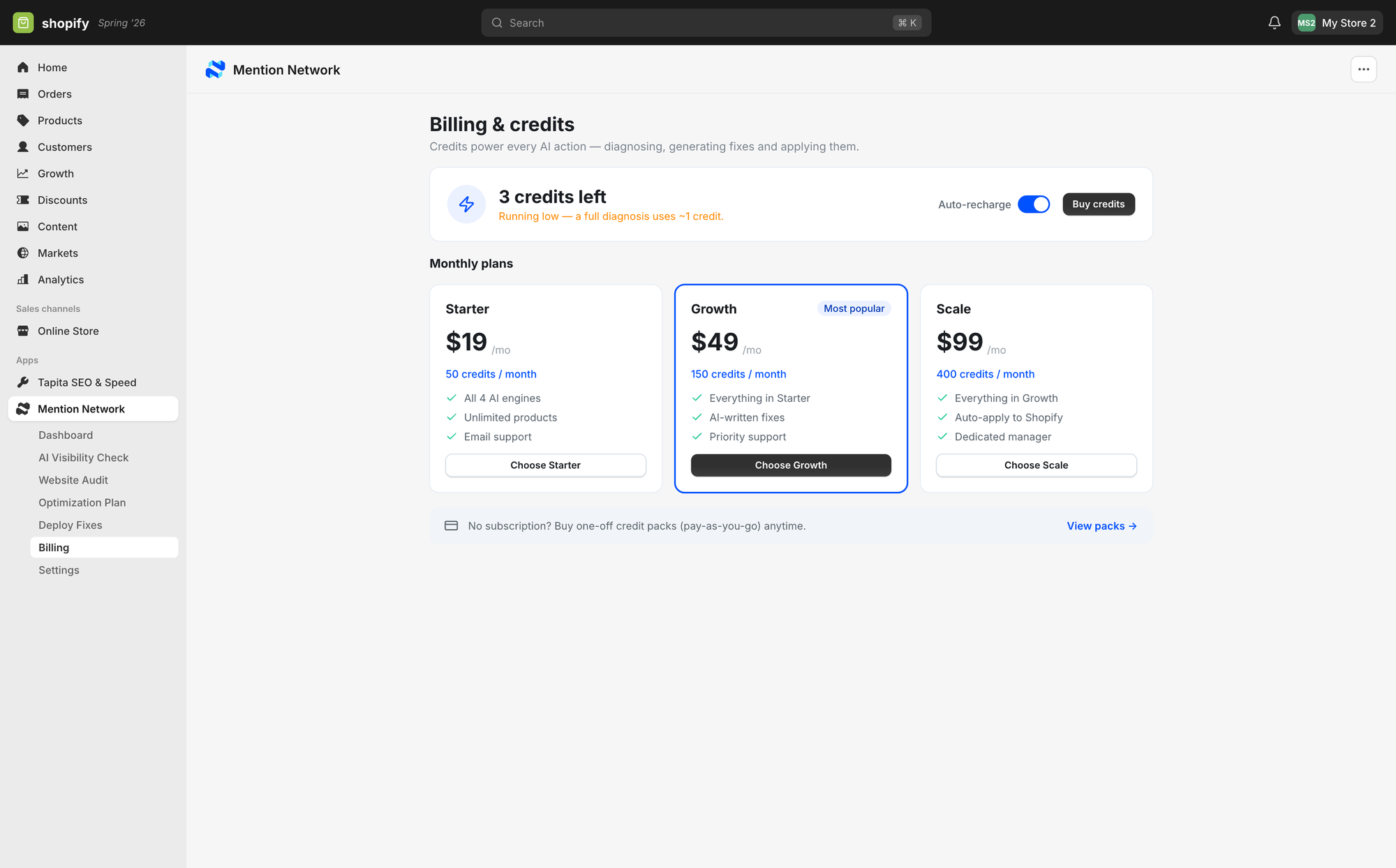
Mention Network runs on the same billing surface as any Shopify app. Free tier covers the first visibility check-up.
The Shopify AI tools worth watching in the next six months
A few things are shipping that will affect the shape of this in 2026:
Agentic commerce, post-Instant-Checkout. OpenAI killed the original Instant Checkout in March 2026 after roughly six months live. What replaced it is a discovery-first model: OpenAI's Agentic Commerce Protocol (with Target, Sephora, The Home Depot on board), Shopify's own Agentic Storefronts (auto-enabled for eligible US stores, redirects to Shopify Checkout), plus adjacent protocols from Google (AP2), Visa (Intelligent Commerce), and Stripe. Full breakdown in our ChatGPT integration playbook. The takeaway for Shopify merchants: product feeds, structured data, and discovery quality now decide whether AI names you at all, and Shopify handles the checkout redirect on your behalf.
Sidekick expansion. Shopify has been steadily giving Sidekick more actions it can take with merchant approval. Things like campaign creation, theme edits, and cross-store analytics are all rolling out. Worth checking Sidekick's new-actions log every month or two.
MCP and the AI Toolkit ecosystem. With the AI Toolkit stable, more agents will start reading Shopify catalogs directly. This is good for merchants (your catalog gets fed to AI agents automatically) but also means the quality of your product data becomes the ceiling on how well those agents represent you.
Third-party review of AI shopping behavior. SparkToro and Backlinko both publish periodic reads on where shoppers actually go, which is more useful than any vendor claim. Read them, not the marketing blogs of the AI vendors.
What to do this quarter
If you are a Shopify merchant reading this and want a small, real punch list:
- Turn on Sidekick if you haven't. Ask it one operational question a day for a week. Get calibrated.
- Pick 20 product pages with the most traffic. Run Magic on the descriptions and FAQ sections. Compare before and after conversion at day 14.
- Run a free AI-visibility scan on your store. Look at which of your top 20 category prompts surface your brand versus competitors.
- Pick the 3 biggest gaps from the scan. Fix one this month.
- Repeat step 3 in 30 days.
That gives you the two layers working together with one merchant doing the loop. Not much overhead, honest feedback, next-month impact.
Shopify AI in 2026 is bigger than Shopify Magic and bigger than ChatGPT recommendations, taken separately. Merchants who see both layers as one workflow will end the year with faster production and higher visibility. Merchants who only see one will keep wondering why the other half of the game keeps moving without them.
Keep your Magic tab open. Add your AI-visibility scan next to it.
Related reading for store owners:
- GEO for Shopify, the step-by-step generative-engine playbook for Shopify catalogs.
- How to optimize Shopify product pages for ChatGPT, the on-page fixes that make AI read your product pages.
- Shopify and Google Merchant Center for AI answers, why the product feed decides your where-to-buy visibility.
Frequently asked questions
Does Shopify Magic help my store show up in ChatGPT?
No. Magic and Sidekick improve the content and workflow inside your admin, but they do not control whether ChatGPT, Gemini, or Perplexity recommend your store. That is external AI visibility (layer two), which depends on your product data, structured data, and how AI engines read and trust your store, not on the copy button in your dashboard.
Which AI engines actually send shoppers to Shopify stores?
The ones your buyers already use for product research: ChatGPT, Google AI (AI Overviews and AI Mode), Gemini, and Perplexity. Rather than chase every engine, check which ones name competitors instead of you for your core buying questions, and prioritise those.
What is the fastest way to see my Shopify store's AI visibility?
Run a check that asks real buying questions across multiple engines and shows whether your store is mentioned, ranked, or missing. That baseline tells you where layer-two work will pay off before you invest in it.
Run a free check: See how ChatGPT, Gemini, and Google AI describe and rank your Shopify store today, then run a free AI visibility check.